Go to the package you downloaded from the I.R.I.S. website.
- Open the Uninstall Scanner folder.
- Double-click Press Uninstall.
- Enter your super user password.
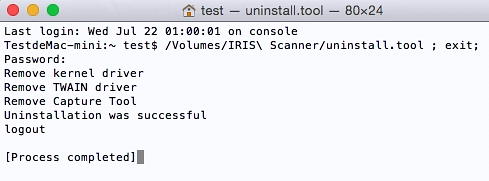
- The IRIScan driver and Capture Tool will be removed.

Go to the package you downloaded from the I.R.I.S. website.
If one of the above article didn't help you , if you are looking to contact us for business enquiries or if you want to return a product, do no hesitate to contact us! One of our agent will take care of your request as soon as possible.

Select the reason for your request:
Cancel an order (< 30 days) Defective (Warranty)


Alain Ledent
Comments