
The software can be deactivated so that you can move it to a different computer. This is will allow you to transfer your license from one computer, Windows or Mac, to another one as many times as you wish. Therefore you need to deactivate/reactivate your activation code.
Please follow the steps:
- Start Readiris PDF
- Click on the Activation item in the left panel.
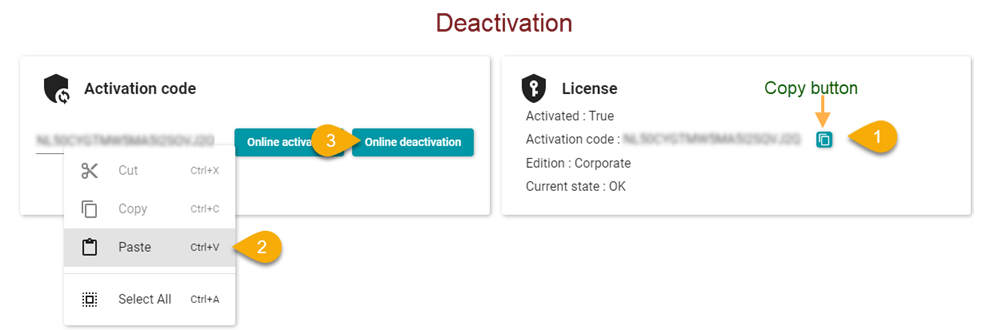
- In the upper right click the copy button (1).
- Paste it into the blank and click the Online deactivate button.
IMPORTANT: In the event that you cannot deactivate your license for any reason such as computer crash, theft etc. ...
You can open a ticket on our site contact the support team and we will assess your request.
Unjustified requests will be refused




Vic
Comments