
During installation a 1722 error appears and the installation is blocked.
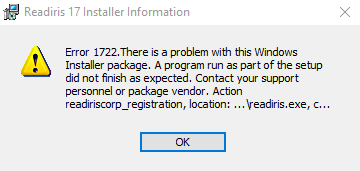
That error results when the program attempts to install an item that can only be installed this way.
- Right click on the Start button and choose run.
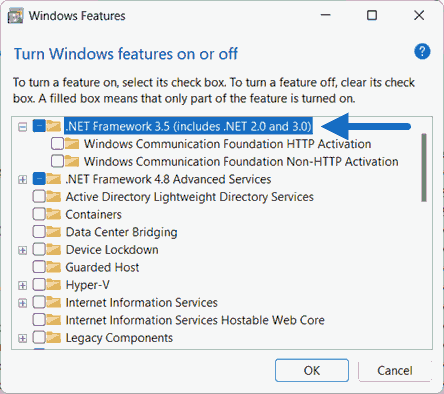
- Paste this text into the blank and click OK : optionalfeatures
- Mark the box for ".NET Framework 3.5 (Includes .NET 2.0 and 3.0)."
- Click OK and Windows will download and install the missing component.
- When complete repeat the Readiris install and it should work.




Casey King
Comments