
This applies to software downloads for these scanners using the .hta install menu pictured below.
- IRIScan Express 4
- IRIScan Executive 4
- IRIScan Anywhere 6 Wifi
- IRIScan Anywhere 6 Wifi Duplex
- IRIScan Pro 5
- IRIScan Book 5
The menu either fails to appear after double clicking on the downloaded file or there is a message from Antivirus or Security software that it is blocked. Sometimes a text file with code appears.

To work around the issue.
- Use this link, https://www.7-zip.org/a/7z1900-x64.exe to download and install 7zip, a free zip utility.
- Go to your downloads folder and right click on the downloaded file.
- Select the 7zip item which cascades out to a number of choices.
- Choose Extract to "name of download file."
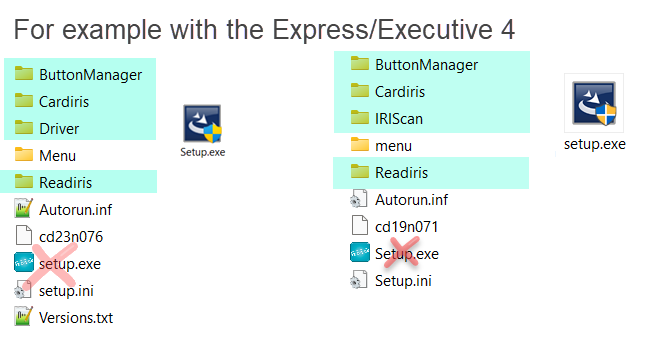
- Go that folder that was extracted and run the setup.exe file in each of the folders highlighted in green.




Casey King
Comments