
In case of crashes, the support team, might need you to get the Logs from the Readiris Log File.
Mac OS:
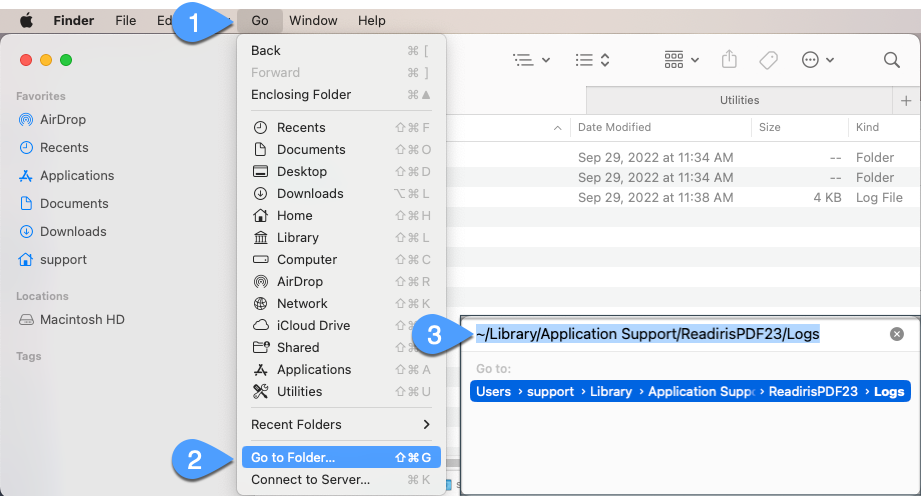
In the Finder on the desktop click on the Go menu ► Go to Folder and enter this text: ~/Library/Application Support/ReadirisPDF23/Logs
- On Ventura and above double click on the dark blue path to open the folder in Finder.
- On previous macOS versions there will be a Go button to click on.
Windows:
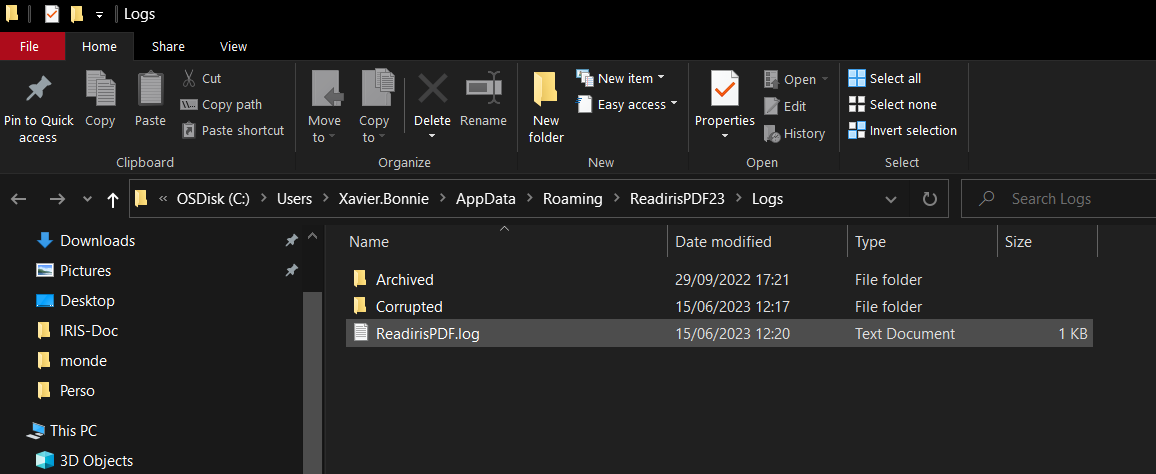
In the Search Bar type the following : %appdata%\ReadirisPDF23\logs

This will open the folder in Windows Explorer where you can retrieve the file ReadirisPDF.log




Vic
Comments